Засіб запуску кількох екземплярів застосунків для macOS
Запускайте кілька екземплярів одного застосунку
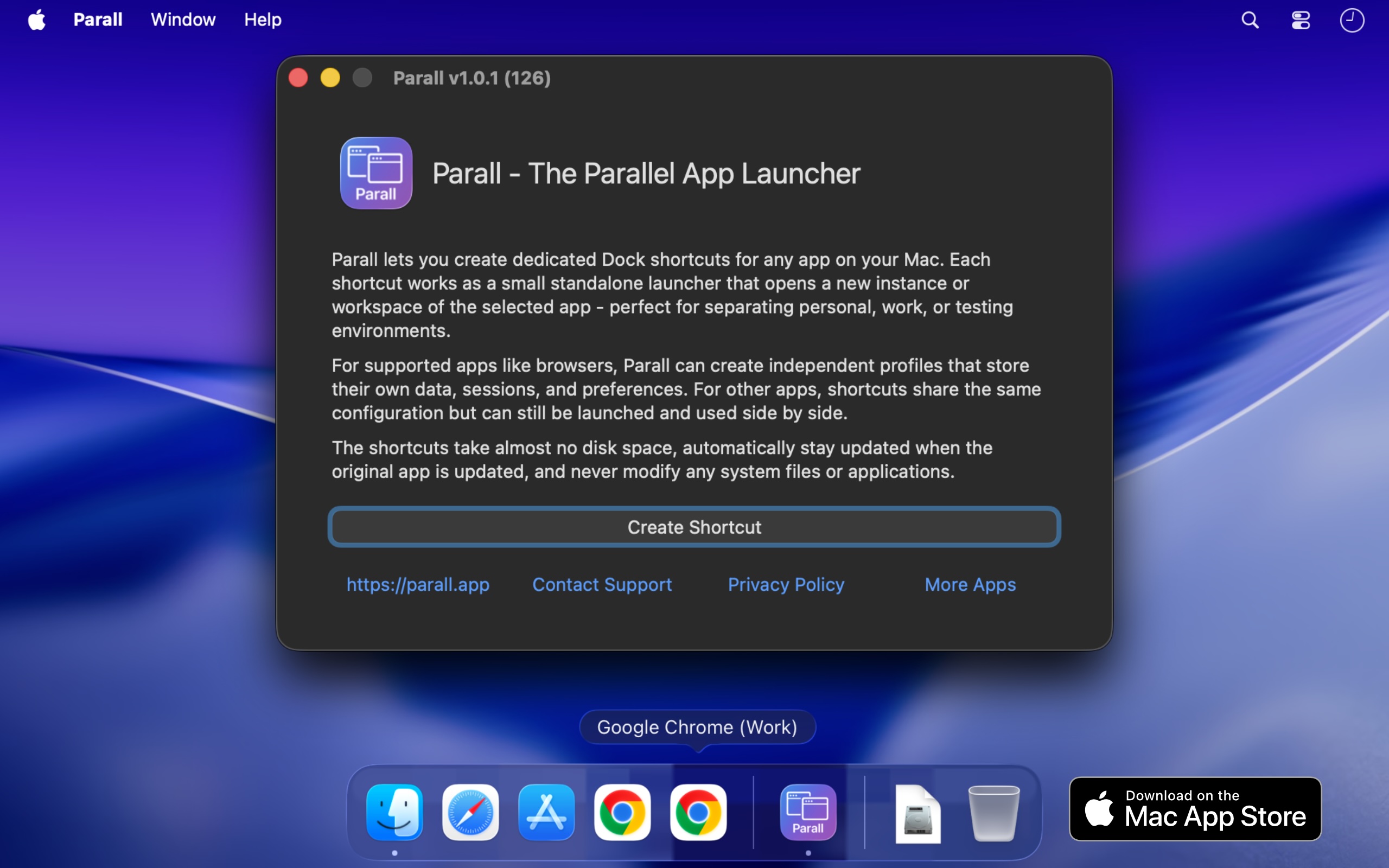
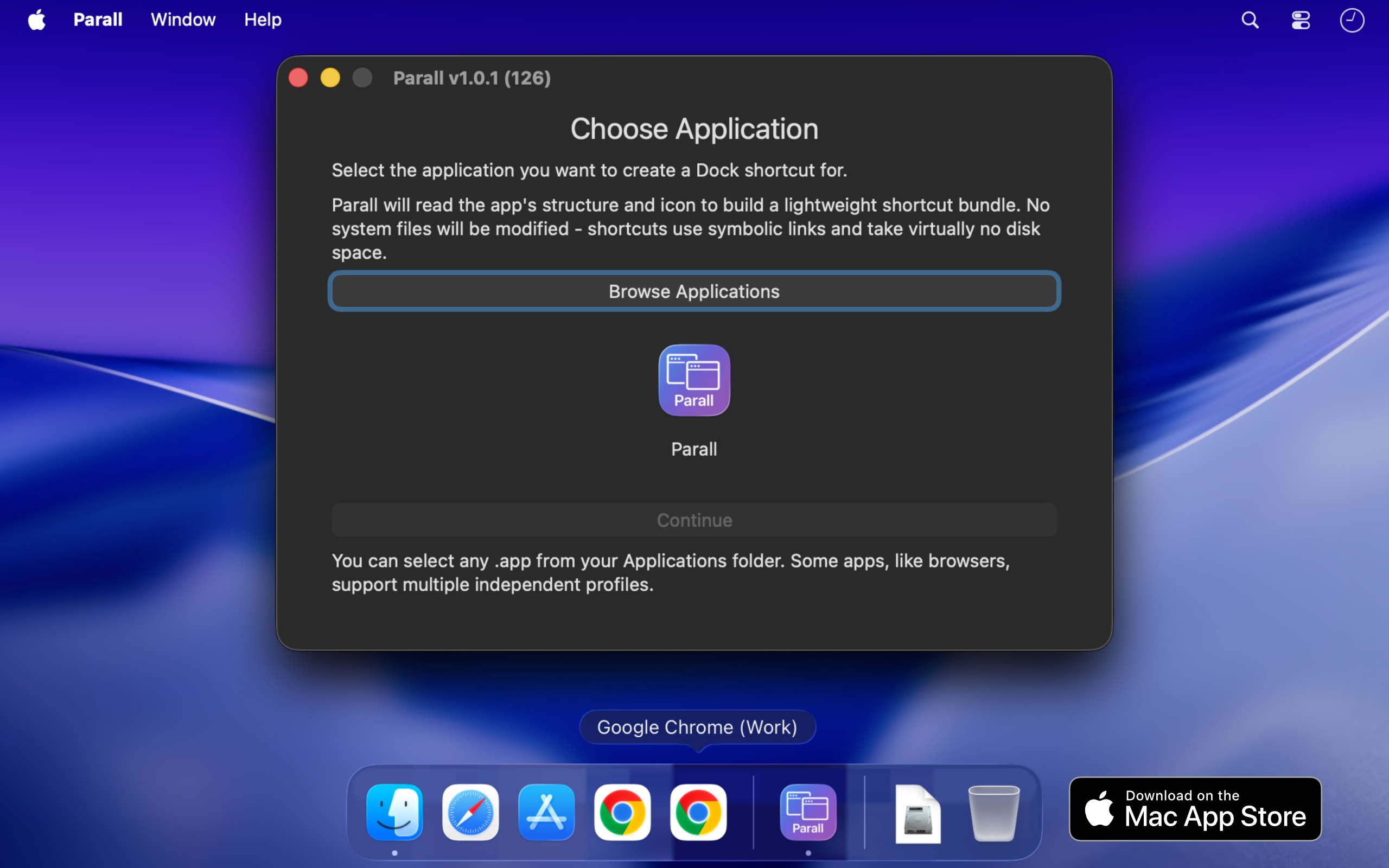
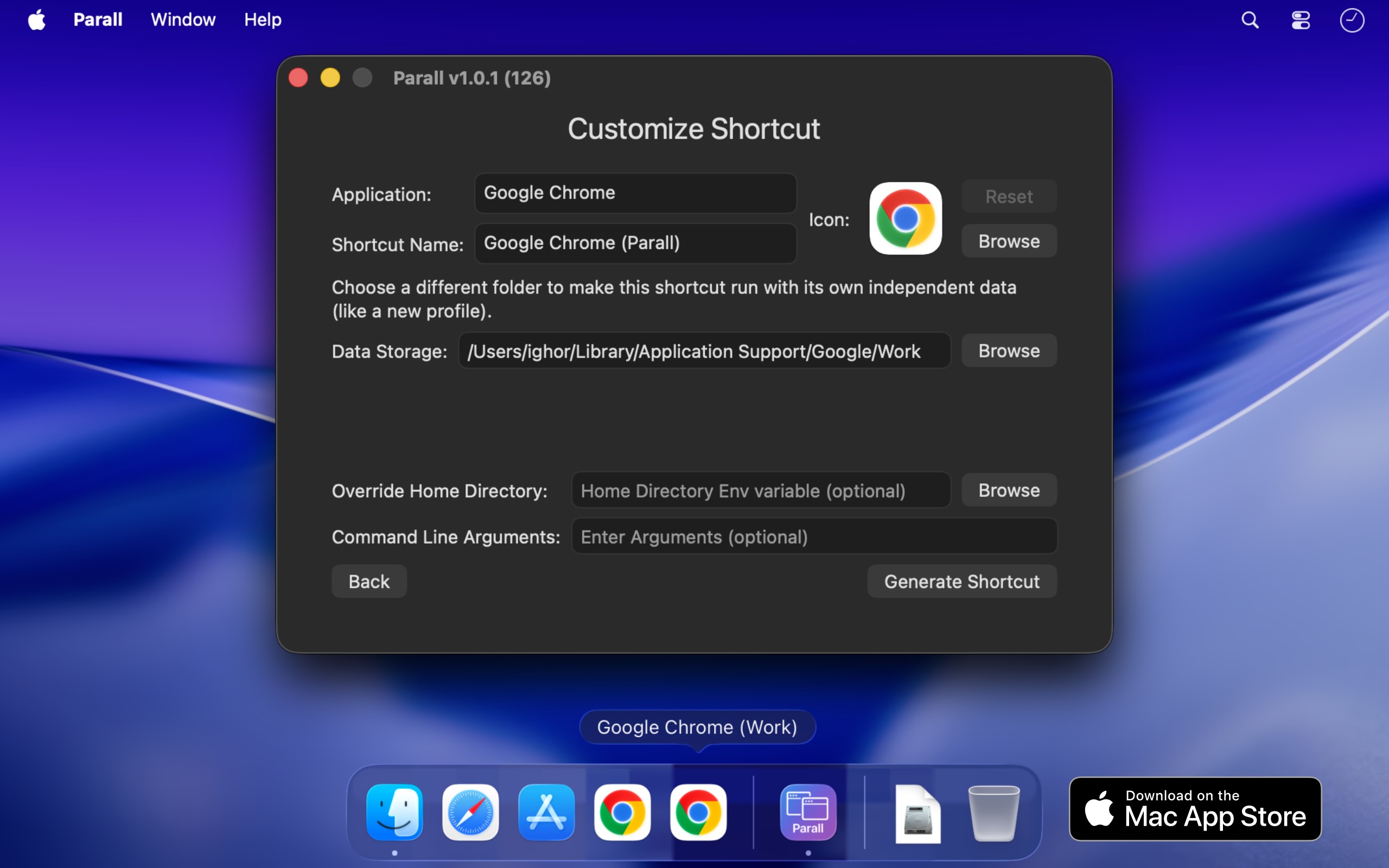
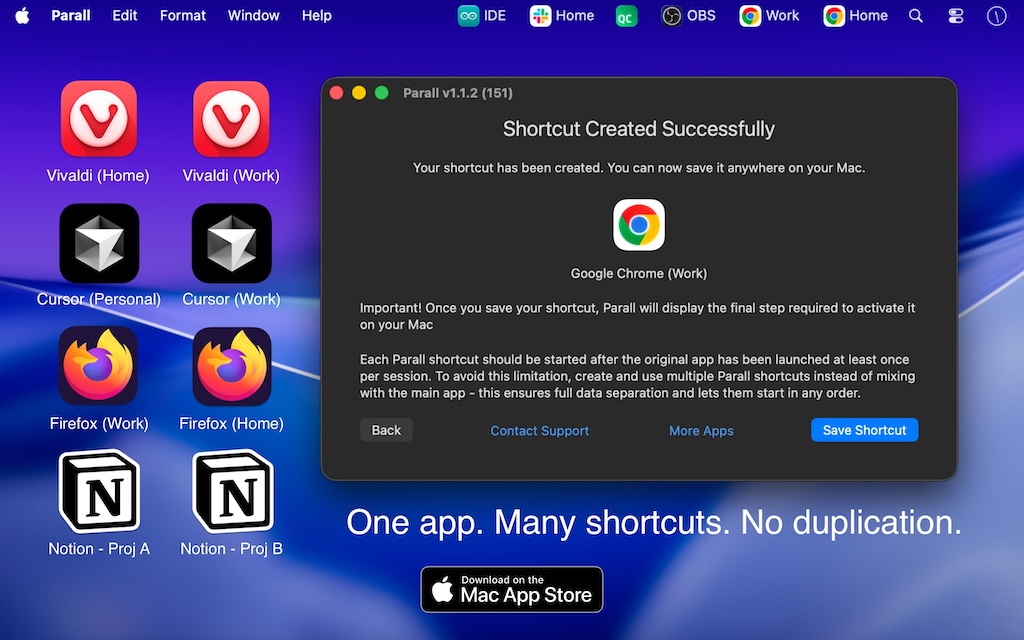
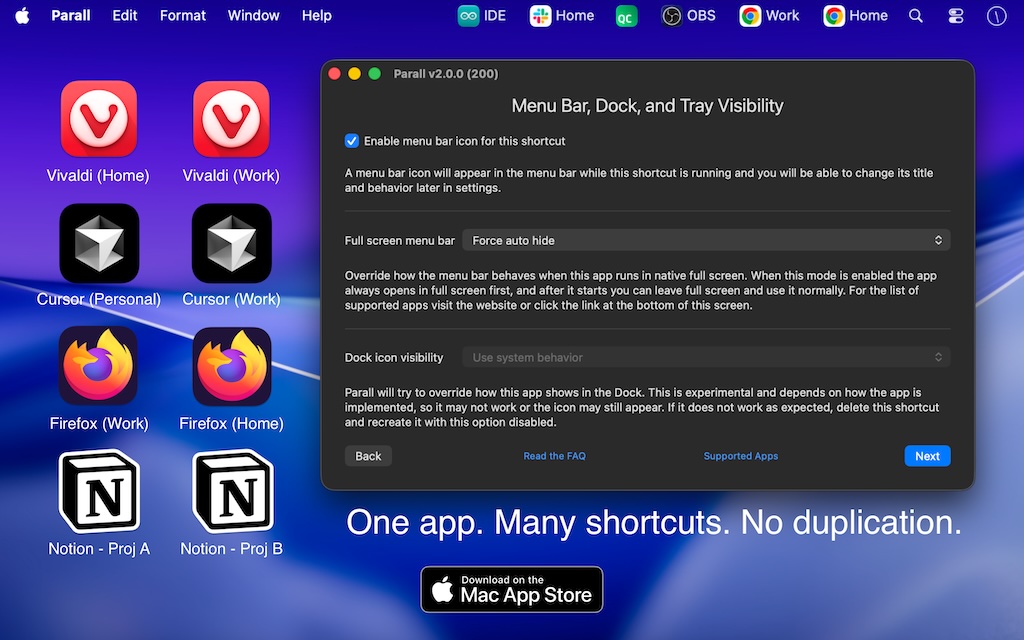
Тримайте робочі, особисті та клієнтські сеанси відкритими одночасно. Parall запускає підтримувані застосунки як окремі екземпляри з власними іконками в Dock і, де це підтримується, окремими обліковими записами та даними.
Для підтримуваних нативних застосунків Parall запускає оригінал без копіювання, перепакування чи перепідписування. Його засоби захисту та вбудований механізм оновлення залишаються незмінними. Ihor July налаштовує та перевіряє профілі сумісності вручну.
Вибрані відгуки з Mac App Store з усього світу, наведені без змін мовою оригіналу.
★★★★★
Game Changer
This app really has been a game changer. Amazing value for money. So easy. Multiple Claude instances now!
★★★★★
Great app for contractors
I work with different companies and have tons of different logins. I used to have to get around apps not having an account switcher by setting up a new user on my computer. Now I can use this without a lot of effort. Great app.
★★★★★
Get shortcuts for different browser profiles
At last I can achieve on my Mac what was relatively simple in windows - an icon for each different Chrome profile launching from the dock, and remaining open with all its windows within that item on the dock. Saves so much time navigating between open profiles. Worth every cent.
Прочитати всі відгуки (34)Показати менше відгуків
★★★★★
Solves a real problem related work vs personal accounts
Multi user set up on Mac is a pain especially if one uses homebrew. This app allows the user to have multiple instances with different accounts. I mostly use it for AI and developer apps like VS Code etc.
★★★★★
Exceeds Expectations
Parall solves the problem of needing multiple instances of the same app on macOS both very effectively and very elegantly. Despite all of the quirks macOS presents in making this solution a reality, Parall makes the whole setup extremely easy and in the end you get a clear discernible copy of the apps you desperately need 2 copies of (looking at you Cursor & Claude). Well done!
★★★★★
Solved 3 days of headaches for me
After 3 days of trying various tutorials which did things through the command line finally settled on this. It just works :)
★★★★★
Great support, works well
Iʼm using this app to make separate Chrome apps in the task switcher, which makes keyboard shortcuts faster switching context, great support on my setup questions, and works well. Worth the money
★★★★☆
Just what I needed
After weeks of messing around with Automator hacks and Chrome apps, I discovered this tool, which lets me create truly independent instances of the same app. Itʼs been a huge productivity and organisation booster for me, keeping my workspaces tidy and separated. A few issues getting it set up, but the support was fantastic. Developer is very responsive, proactive, and helpful.
★★★★★
EXACTLY what I needed
I freelance- multiple client accounts I swap through during the day. This is a life saver
★★★★★
Parall
Worked well and easily with whatsApp, whats not to like :)
★★★★★
Most Impressive App Iʼve Ever Used
Iʼve installed/used at least a couple thousand apps since the very early 2000ʼs. This is literally the most impressive app thet I have ever found/seen/used and it works amazingly well.
★★★★★
Game Changing
I work under multiple brands that have their own accounts and emails and whatnot. I started using Vivaldi so I could keep things separated by profile. Parall takes that to the next level. Now each of my Vivaldi windows is specifically scoped to each brand, with each window showing the brandʼs icon in the dock so I know exactly which one Iʼm clicking on. If you need to run multiple instances of an app that are essentially in their own containers, this is the way to do it. It just works.
★★★★★
Works perfectly for multi-instance Claude
Could not be easier for working concurrently in multiple Claude instances. It nice when an app just does what itʼs supposed to!
★★★★★
JUST WORKS
Omg. I have been trying multiple things because I use both my work (part-time) and work (freelance) on the same computer and donʼt want to create another account to use fast user switching… so this is really a brilliant way of keeping everything running separately.
★★★★★
Excellent
It just does what it says it does, makes my life so much easier. Absolutely recommended
★★★★★
Works perfectly for my use case
Exactly what I needed to run two versions of the same application at the same time. This has been a life saver - thank you!
★★★★★
Game changer
If you are someone who juggles multiple accounts across different apps, you need this. Itʼs like the Chrome profile switcher but for apps! I have tested it on Jump Desktop and Claude and its truly changed my workflow to keep multiple accounts signed in. Dev is response on app requests!
★★★★★
So easy
Use it run company/personal versions of apps with no headaches, got it working in under a minute, set it and forget it
★★★★★
Solved my Claude Code Issue Quickly
Just flat out works. Best $9.99 Iʼve ever spent on an app.
★★★★★
Works perfect
For me itʼs quite common to open 5+ Chrome windows with 3+ different Chrome profiles. Itʼs really painful to switch between them. With Parall I can create one Chrome shortcut for each profile and pin it to Dock. This app is really great.
★★★★★
Great experience with Cursor IDE
Perfect for managing Cursor IDE accounts with different logins, extensions, and so on. I managed to avoid the daily hassle of logging out and logging into multiple client accounts, saving a great deal of time during day-to-day development. I highly recommend it! In addition to all the great functionality, it offers top-notch support focused on solving problems.
★★★★★
Working perfectly with claude
Grabbed the app for running claude personal account and work account in parallel. Working seamlessly and without any interference between account.
★★★★★
Multiple Claude Accounts
I can now run multiple claude codeʼs on my desktop without logging in and out
★★★★★
5 Concurrent Claude Code Desktop Apps
This works very well! Thanks for making a great app!
★★★★★
Lifesaver
Being able to launch multiple completely separate app windows that feel native is a game changer for my workflow.
★★★★★
Great and working solution
If you are working with multiple companies and an app does not support multiple accounts, this could be the solution. Or if you want to add special command line parameters to start an app, this is also a good solution. Great support too.
★★★★★
The only app for custom apps on Mac
Itʼs hard to believe but you canʼt have two shortcuts on your Mac dock, one going to your work chrome profile and another one to your personal Chrome profile. Look online and youʼll find countless bad options to try to cope with that limitation. This app is the one that solved the problem super smoothly, love it. Even use my custom Chrome icon for my personal and can finally separate things. I havenʼt used it yet, but I think use cases go beyond Chrome, you can use it for any app that need to be launched with different profiles.
★★★★★
One of the best devs
Iʼll admit I was super skeptical at first. But the amount of updates and communication from the dev has really made this one of the best new Mac apps Ive seen in a long time. What used to take me an hour or two every time I updated Mac I can now do almost fully automated. Appreciate it.
★★★★★
Umm…. Where has this been all my life
So far this app does everything that Iʼve wanted it to do. Being able to run multiple instances of Claudeʼs desktop app and other music programs that I didnʼt have the ability to do before. Iʼm sure it has limitations, but itʼs been amazing and a lifesaver for me! Thank you all!
★★★★★
Very good, thanks!
Running parallel Emacs instances with different command line arguments and env variables, custom icons and app names for easy switching. Excellent! Havenʼt tried anything else but the tool looks solid.
★★★★★
I liked it
Pretty much the only software to have multiple instances of OBS with its data being separate without losing functionality (I use Browser Instances and tested that) The app might come in handy for other software but my main reason was OBS.
★★★★★
WooooW , Running Same App Twice side-by-side is Awesome
I wasnʼt expecting that On MAC Os , thanks a lot
★★★★★
Finally, a way to have different dock icons for different Chrome profiles!
I have been looking for a simple way to have different doc icons for my wife and I on our shared family desktop computer. Finally this is a reality with Parall!
★★★★★
Versatil
Una aplicación sencilla con ilimitadas opciones para configurar. Sin, duda, un gran descubrimiento.
Якщо використовуєш ярлик Parall разом з оригінальним застосунком, спочатку запусти оригінальний застосунок, а потім ярлик.
Щоб уникнути залежності від порядку запуску, створи два ярлики і користуйся лише ними.
Вхід через браузер
На час входу закрийте всі інші екземпляри цього застосунку, включно з оригіналом. Для авторизації встановіть Safari браузером за замовчуванням. Після входу можна знову відкрити інші екземпляри та повернути звичний браузер.
Відкриття сповіщення
Натискання сповіщення може вивести на передній план інший запущений екземпляр. Це відоме обмеження.
Оновлення створених ярликів
Оновлення Parall не перезаписує наявні ярлики. Відкрийте Parall, виберіть Редагувати та перезапишіть ярлик, щоб отримати виправлення механізму запуску. Збережіть його шлях до даних, щоб залишити наявний профіль.

 App Trust Preview
  DockLock Pro
  LockLines
  App Archiver
  DiskPress